Mobile Business Apps: When and Why to Invest (SME Guide)
The 5 signals you need a mobile app, responsive vs native comparison, costs, and real-world deployment case study.

42% of SME employees access their business tool outside the office — traveling, in the field, in warehouses, at client sites. Yet 73% of custom business applications are still designed exclusively for desktop use. The gap is enormous.
When a technician has to return to the office to enter their intervention report, a salesperson notes information on paper before re-entering it in the CRM, or a manager has to wait until Monday to check their indicators — every lost minute accumulates into days of wasted productivity.
But a mobile application isn't always the right answer. This article helps you identify when the investment is justified, which technical approach to choose, and what it actually costs.
The 5 signals you need mobile access
Not every business tool needs a mobile version. Mobility is justified when your processes demand it. Here are the 5 clear signals:
1. Your field teams re-enter data at the office
If your technicians, salespeople, or delivery staff note information on paper, take photos with personal phones, then re-enter everything once back — it's structural time waste.
Impact: 30–60 minutes per day per field worker.
2. Decisions wait for office return
If a manager can't validate an order, check a schedule, or approve a quote without being at their computer — decisions are systematically 24–48 hours late.
Impact: delayed response time and lost business opportunities.
3. Your competitors offer more responsiveness
If competitors send a quote to clients in 10 minutes (from the field) while you wait to get back to the office — you're losing business from slowness, not lack of competence.
Impact: direct competitiveness loss.
4. Field data collection is critical
If your business requires on-site readings, geolocated photos, client signatures, or document scans — a phone is more natural than a computer.
Impact: field data quality and completeness.
5. Your teams are geographically distributed
If you have employees across multiple sites, on the road, or working remotely — mobile access ensures everyone works from the same up-to-date data in real time.
Impact: information consistency and coordination.
If you recognize 2 or more signals, mobile access will deliver measurable ROI within months.
The 3 technical approaches: which to choose?
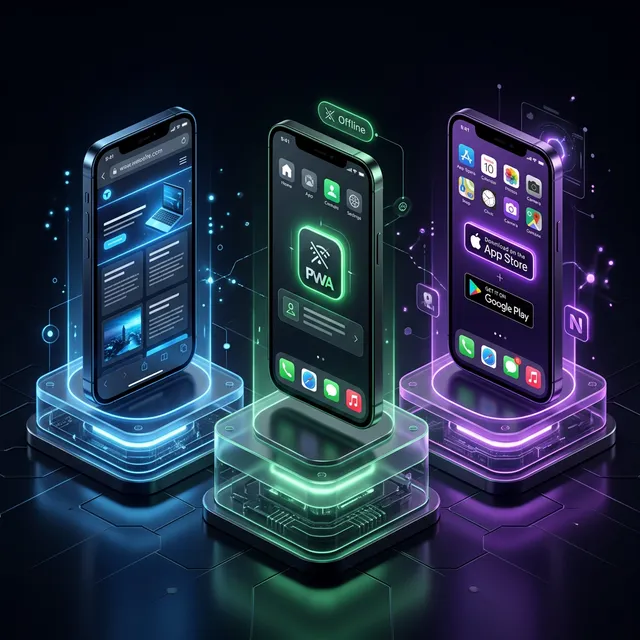
There are 3 ways to make your tool mobile-accessible. Each has advantages and limitations.
Approach 1 — Responsive web application
Principle: your existing web application automatically adapts to screen size. No download needed, accessed via the phone's browser.
Advantages: no major additional development cost, instant updates, works on all devices.
Limitations: requires internet connection, no access to native phone features (push notifications, offline GPS, optimized camera).
Budget: €2,000–5,000 for existing interface adaptation.
Approach 2 — Progressive Web App (PWA)
Principle: a web application that behaves like a native app. Installable on home screen, works offline (partially), push notifications.
Advantages: single codebase for web and mobile, no App Store required, offline mode possible, push notifications.
Limitations: slightly lower performance than native apps, partial access to phone features.
Budget: €4,000–10,000 additional development.
Approach 3 — Native application (iOS/Android)
Principle: an application developed specifically for each operating system, downloadable from App Store or Google Play Store.
Advantages: maximum performance, full access to all phone features, optimal user experience.
Limitations: high development cost, dual maintenance (iOS + Android), store publication process.
Budget: €15,000–40,000 for both platforms.
Sound familiar?
Estimate the cost of your custom tool
In 30 seconds, receive a personalized estimate based on your actual needs.
Comparison table: responsive vs PWA vs native
| Criteria | Responsive | PWA | Native |
|---|---|---|---|
| Budget | €2,000 – 5,000 | €4,000 – 10,000 | €15,000 – 40,000 |
| Timeline | 1 – 2 weeks | 3 – 6 weeks | 8 – 16 weeks |
| Offline | ❌ No | ⚠️ Partial | ✅ Full |
| Push notifications | ❌ No | ✅ Yes | ✅ Yes |
| GPS access | ✅ Via browser | ✅ Via browser | ✅ Native (precise) |
| Camera | ⚠️ Basic | ⚠️ Basic | ✅ Advanced |
| Performance | ⭐⭐⭐ | ⭐⭐⭐⭐ | ⭐⭐⭐⭐⭐ |
| Maintenance | 1 codebase | 1 codebase | 2 codebases |
| App Store required | ❌ No | ❌ No | ✅ Yes |
| Recommended if | Occasional use | Daily use, field teams | Intensive use, critical native features |
Our recommendation for most SMEs: start with a responsive or PWA approach. 80% of mobile needs are covered at 20% of a native app's cost. If specific needs are confirmed after 6 months of use, switch to native.
Mistakes to avoid
- Developing mobile before desktop — Your main business tool must first be solid and complete on desktop. Mobile is an extension, not the core
- Putting everything on mobile — The mobile screen is small. Select the 5–10 essential field features. The rest stays on desktop
- Ignoring offline mode — If your teams work in areas without network (basements, rural areas, construction sites), offline mode isn't optional
- Neglecting touch ergonomics — Buttons must be minimum 44×44 pixels. Forms must be short. As demonstrated in our UX guide
- Forgetting mobile security — A lost phone = accessible data. Authentication, encryption, and remote lock capability are essential, per GDPR requirements
Ready to take the next step?
Let's talk about your project
Free analysis of your needs, no commitment. We respond within 24 hours.
Real case: maintenance SME with mobile deployment
Profile: Industrial maintenance company, 28 employees including 18 field technicians.
Problem: each technician spent 45 minutes per day re-entering intervention reports at the office. Intervention photos were on personal phones, never centralized.
Solution deployed: PWA (Progressive Web App) with:
- Simplified intervention report form (5 fields + photos)
- Photo capture with automatic geolocation
- Offline mode (automatic sync when back in network)
- Client signature on touchscreen
- Push notifications for new interventions
Budget: €7,500 (PWA integrated with existing business application).
Results at 3 months:
- Entry time: 45 min/day → 8 min/day per technician
- Report delivery: D+1 → instant
- Lost photos: 15%/month → 0%
- Technician satisfaction: 2.8/5 → 4.5/5
- Measured ROI: 180% at 6 months
Mobile security considerations
Mobile apps introduce specific security challenges:
- Device loss/theft — Remote wipe capability is essential for apps handling sensitive data
- Public networks — Mobile users connect via coffee shop WiFi. All communications must use HTTPS/TLS
- App store reviews — Both Apple and Google review apps for security and privacy. Budget 1-2 weeks
- Offline data storage — Data cached locally must be encrypted in case the device is compromised
- Biometric authentication — FaceID/fingerprint adds security without friction
These don't complicate development significantly if planned from the start.
Our mobile approach at Iselia Projects
At Iselia Projects, mobility is integrated from the requirements document design stage.
Our method:
- Field usage audit — We observe your teams in real situations to identify critical mobile tasks
- Technical recommendation — We recommend the right approach (responsive, PWA, or native) based on your actual needs and budget
- Mobile-first design for field screens — Mobile interfaces are designed separately, optimized for fingers, sunlight, and field conditions
- Real-condition testing — We test in the field, in degraded network areas, before production launch
Our support packages cover design, development, and field deployment.

Frequently Asked Questions
Do I need a separate mobile app or an adaptation of my existing tool?
For 80% of SMEs, adapting the existing tool (responsive or PWA) is the best option. It costs less, is easier to maintain, and covers the vast majority of field needs. Native apps are only justified for intensive use with critical native features.
How much does mobile access for my business tool cost?
From €2,000 (responsive) to €40,000 (native iOS + Android). PWA offers the best value for SMEs at €4,000–10,000, with push notifications and partial offline mode.
Is offline mode really necessary?
If your teams work in areas with reliable network coverage (offices, cities), offline isn't critical. If they operate in basements, rural areas, or construction sites, it's essential.
Is my data secure on mobile?
Yes, provided best practices are applied: mandatory authentication, encryption of locally stored data, ability to block access remotely if lost, and GDPR compliance.
Do I need to provide professional phones to my teams?
Not necessarily. BYOD (Bring Your Own Device) policy is compatible with PWA or responsive approaches. The essential thing is ensuring professional data security regardless of device.
How long does it take to add mobile access?
From 1 week (responsive) to 4 months (full native). The PWA approach typically takes 3–6 weeks and offers the best balance between features and implementation timeline.
Conclusion: mobility serving your efficiency, not technology
The goal isn't to have a mobile app because it's modern. It's to remove friction points that slow down your field teams and delay your decisions.
The 5 signals, 3 technical approaches, and real case study in this article help you make the right choice — one that delivers measurable ROI without surprising your budget.
Your field teams losing time due to a non-mobile tool? At Iselia Projects, the mobile feasibility study is free and obligation-free. In 30 minutes, we identify the best approach for your SME. Request your free mobile study →
Ready to go custom?
Need a custom business tool?
Let's discuss your project. Free analysis, no commitment.