Digital Accessibility for Business Apps: WCAG Guide
Legal requirements, essential WCAG criteria, and a practical checklist to make your business app accessible to all.

15% of the world's population lives with a disability. Among them are your employees, clients, and partners. An inaccessible business app doesn't just exclude them — it exposes you to growing legal risks and deprives you of talent and productivity.
Digital accessibility is no longer a "nice to have" reserved for large corporations. Since 2024, legal obligations are progressively extending to SMEs. And beyond compliance, an accessible application is one better designed for everyone — more readable, more intuitive, more performant.
This article demystifies WCAG, gives you essential criteria to meet, and provides an actionable checklist to make your business application accessible from design.
Why accessibility concerns you (even as an SME)
Numbers that speak
- 1.3 billion people worldwide affected by disability (16% of population)
- 80% of disabilities are invisible (visual, cognitive, minor motor impairments)
- 1 in 6 employees experiences temporary or permanent disability during their career
- Up to €250,000 fine for non-compliance with accessibility obligations (EU)
Types of disabilities impacted
| Type | Examples | Application impact |
|---|---|---|
| Visual | Blindness, low vision, color blindness | Screen readers, contrast, text size |
| Motor | Reduced hand mobility, tremors | Keyboard navigation, large click targets |
| Auditory | Deafness, hearing loss | Subtitles, visual alerts |
| Cognitive | Dyslexia, ADHD, memory disorders | Simple language, predictable navigation |
| Temporary | Broken arm, migraine, noisy environment | Benefits from all adaptations |
Accessibility isn't only for people with permanent disabilities. A field salesperson using their app in bright sunlight (contrast), a technician wearing gloves (large click targets), a tired accountant at day's end (readability) — everyone benefits from an accessible application.
The legal framework: WCAG and EAA
WCAG (Web Content Accessibility Guidelines)
WCAG defines 3 conformance levels:
- Level A: bare minimum (alt texts, keyboard navigation)
- Level AA: recommended standard (4.5:1 contrast, captions)
- Level AAA: excellence (7:1 contrast, sign language)
Recommended target for SME business apps: Level AA. It's the standard required by most regulations and the best effort-to-impact ratio.
European Accessibility Act (EAA)
The EAA, effective from June 2025, progressively extends digital accessibility requirements to private sector businesses across the EU. By 2028, most digital products and services must comply.
The 4 fundamental principles (POUR)
- Perceivable — Information must be presentable in ways all senses can perceive
- Operable — Interface must be usable with different interaction methods
- Understandable — Information and operation must be comprehensible
- Robust — Content must be interpretable by assistive technologies
Sound familiar?
Estimate the cost of your custom tool
In 30 seconds, receive a personalized estimate based on your actual needs.
The 10 essential criteria for your business app
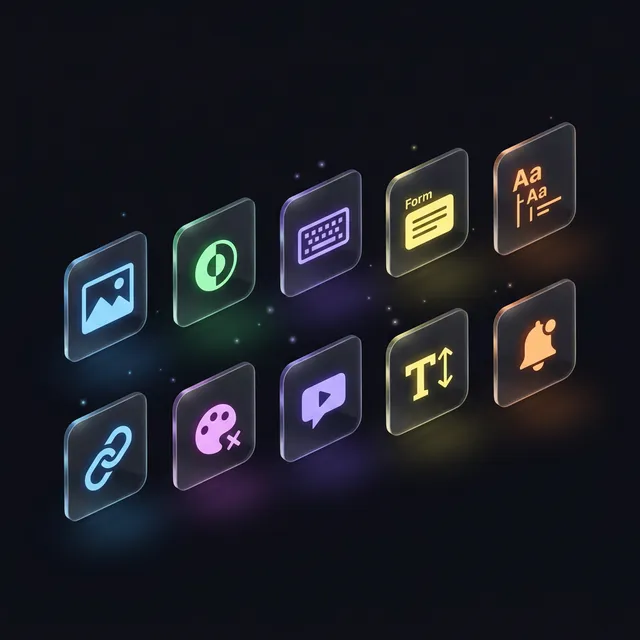
1. Alternative texts for images
Every meaningful image needs a descriptive alt attribute. Decorative images should have an empty alt.
2. Sufficient contrast
Minimum ratio of 4.5:1 between text and background. Large text (18px+) accepts 3:1. Check with WebAIM Contrast Checker.
3. Keyboard navigation
Every feature must be accessible without a mouse. Tab to navigate, Enter to confirm, Escape to close. Tab order must be logical.
4. Accessible forms
Every form field needs an explicit label. Error messages must identify the field and explain how to fix it. Required fields must be identified by more than color alone.
5. Heading structure
Use logical heading hierarchy (H1 → H2 → H3). One H1 per page. Headings enable screen readers to navigate content quickly.
6. Descriptive links
Avoid "click here" or "learn more" links without context. Each link should describe its destination: "View the maintenance guide."
7. Color not sole information carrier
Never use color as the only way to convey information. An error field shouldn't be signaled only in red — add an icon, text, or border.
8. Multimedia with alternatives
Videos need captions. Audio content needs transcription. Animations must be pauseable.
9. Resizable text
Text must remain readable and functional when enlarged to 200%. No clipped content or broken features.
10. Accessible status messages
Notifications, alerts, and confirmation messages must be announced to assistive technologies (role="alert" or aria-live).
Comparison: accessible vs non-accessible app
| Criteria | Non-accessible | Accessible |
|---|---|---|
| Users excluded | 15-20% of population | 0% |
| Legal risk | Fines up to €250,000 | ✅ Compliant |
| Overall UX | Variable | Better for everyone |
| Adoption | Resistance from struggling users | Total inclusion |
| SEO | Impacted (Google penalizes) | Improved (+15% estimated) |
| Employer brand | Neutral | Engaged and inclusive |
| Maintenance | Fragile, unstructured code | Structured, maintainable code |
Ready to take the next step?
Let's talk about your project
Free analysis of your needs, no commitment. We respond within 24 hours.
The ROI of accessibility
Accessibility isn't a cost — it's a profitable investment:
- Productivity: an accessible interface is faster for everyone (+12% average productivity)
- Recruitment: access to a wider talent pool (disability employment obligations)
- Public contracts: accessibility is an increasingly common selection criterion
- Measurable ROI: reduced support requests (-30%), fewer user errors (-25%)
Integration cost
- From design: 5–10% of development budget (most economical)
- Retrofitting: 15–25% of initial budget (2–3× more expensive)
- After mandatory compliance: 25–40% (urgency + audit + certification)
Practical checklist for your project
Design phase
- Contrast verified on all mockups (4.5:1 minimum ratio)
- User journey testable with keyboard only
- Color not sole information carrier
- Forms with explicit labels and clear error messages
Development phase
- Semantic HTML (header, nav, main, footer, section)
- ARIA attributes used correctly (aria-label, aria-describedby, role)
- Visible focus on all interactive elements
- Logical tab order
[Testing](/blog/testing-quality-assurance-business-app-guide) phase
- Screen reader test (VoiceOver on Mac, NVDA on Windows)
- Complete keyboard navigation test
- Text enlargement test at 200%
- Automated audit (axe DevTools, Lighthouse Accessibility)
Quick wins: 10 accessibility improvements you can make today
These changes require minimal effort but significantly improve accessibility:
- Add alt text to all images — Describe what the image conveys, not just what it shows
- Ensure sufficient color contrast — Minimum 4.5:1 ratio for text (use WebAIM contrast checker)
- Add visible focus indicators — Users navigating by keyboard must see where they are
- Use semantic HTML —
<button>for actions,<a>for navigation,<h1>-<h6>for headings - Label all form fields — Every input needs an associated
<label>element - Don't rely on color alone — Add icons or text alongside color-coded status indicators
- Make click targets large enough — Minimum 44×44 pixels for touch targets
- Test with keyboard only — Navigate your entire app using only Tab, Enter, and Escape
- Provide error messages in context — Tell users exactly what's wrong and how to fix it
- Add skip navigation links — Let keyboard users jump past repetitive menus
These 10 improvements cover 80% of UX accessibility issues found in typical business applications.
Our approach at Iselia Projects
At Iselia Projects, accessibility is integrated from the requirements phase, not as an afterthought:
- Compliance audit — WCAG evaluation of your existing tools
- Accessible design — Verified mockups (contrast, navigation, forms)
- Compliant development — Semantic HTML, ARIA, automated tests
- Accessibility testing — Validation with screen reader and keyboard
- Training — Team awareness of best practices
Discover our support packages →

Frequently Asked Questions
Is accessibility mandatory for SMEs?
Not yet universally, but obligations are expanding. The European Accessibility Act enters force progressively through 2028. SMEs working with the public sector are already covered. Beyond law, it's a competitive advantage.
How much does retrofitting accessibility cost?
Between 15–25% of initial budget. For a €30,000 app, budget €4,500–7,500. That's 2–3× more expensive than doing it from design (5–10%).
Should I aim for WCAG Level AAA?
Not for most business apps. Level AA is the recommended standard required by most regulations. Level AAA is an excellence target reserved for critical apps (healthcare, public services).
Is an accessibility audit mandatory?
Audits are mandatory for organizations subject to accessibility regulations. For others, strongly recommended. An automated audit (free with Lighthouse) catches 30–40% of issues. A manual expert audit (€1,500–5,000) catches 90%+.
Does accessibility slow development?
Integrated from the start, it adds 5–10% to development time. This slight overhead is offset by better code quality, fewer bugs, and reduced technical debt.
How to quickly test my app's accessibility?
3 tests in 5 minutes: (1) Navigate with keyboard only (Tab, Enter, Escape). (2) Activate your OS screen reader. (3) Run Lighthouse in Chrome DevTools (Accessibility tab). If score < 80, a deeper audit is needed.
Conclusion: accessibility is an advantage, not a constraint
Digital accessibility isn't a checkbox — it's a design principle that improves the experience for everyone. An accessible app is more readable, more intuitive, more robust. It includes 100% of your users instead of 80%.
The cost is minimal when integrated from design (5–10%). The risk of not doing it increases each year as legal obligations strengthen.
Is your app accessible? At Iselia Projects, the accessibility audit is free and obligation-free. In 30 minutes, we identify key blockers and recommend a compliance plan. Request your free accessibility audit →
Ready to go custom?
Need a custom business tool?
Let's discuss your project. Free analysis, no commitment.